AI Co-Writer
Get help from an AI collaborator that proposes edits to your story.
The AI Co-Writer reads your story and proposes changes for you to review - new beats, rewritten lines, wired-up choices - rather than just chatting with you off to the side. Nothing it suggests is applied until you approve it.
Opening the assistant#
Click the icon in the header to open the AI Co-Writer panel from anywhere in your story.
Choosing what it's working on#
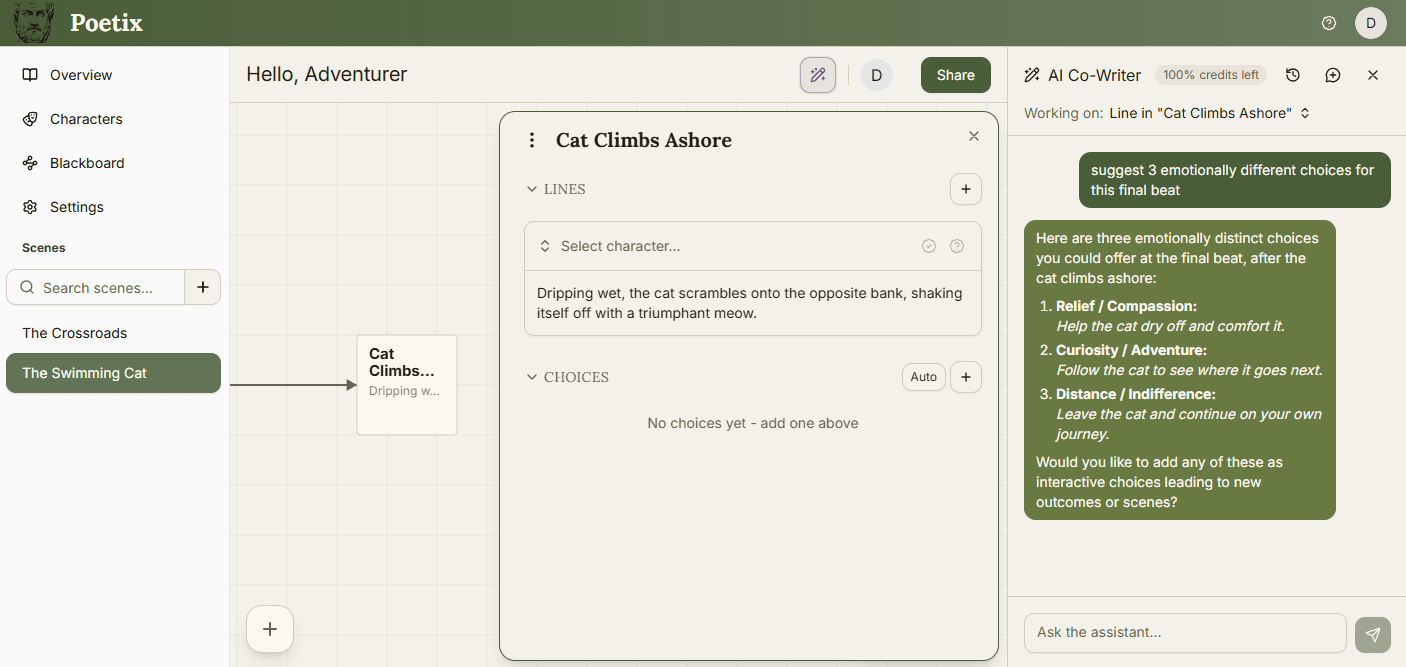
The Working on: selector at the top of the panel shows the assistant's current focus - the entire story, a scene, a beat, a line, or a choice. By default it follows the scene you're viewing.
For a faster path, use Ask AI - it shows up next to story elements like beats, lines and choices. It opens the panel already focused on that exact item, so you skip pointing it at the right place yourself.
Focus the AI to specific elements depending on the level of detail you want. Focus on a single line to keep suggestions concentrated, or widen it to the entire story for anything that spans scenes. Once you pick a focus it sticks.
How it edits your story#
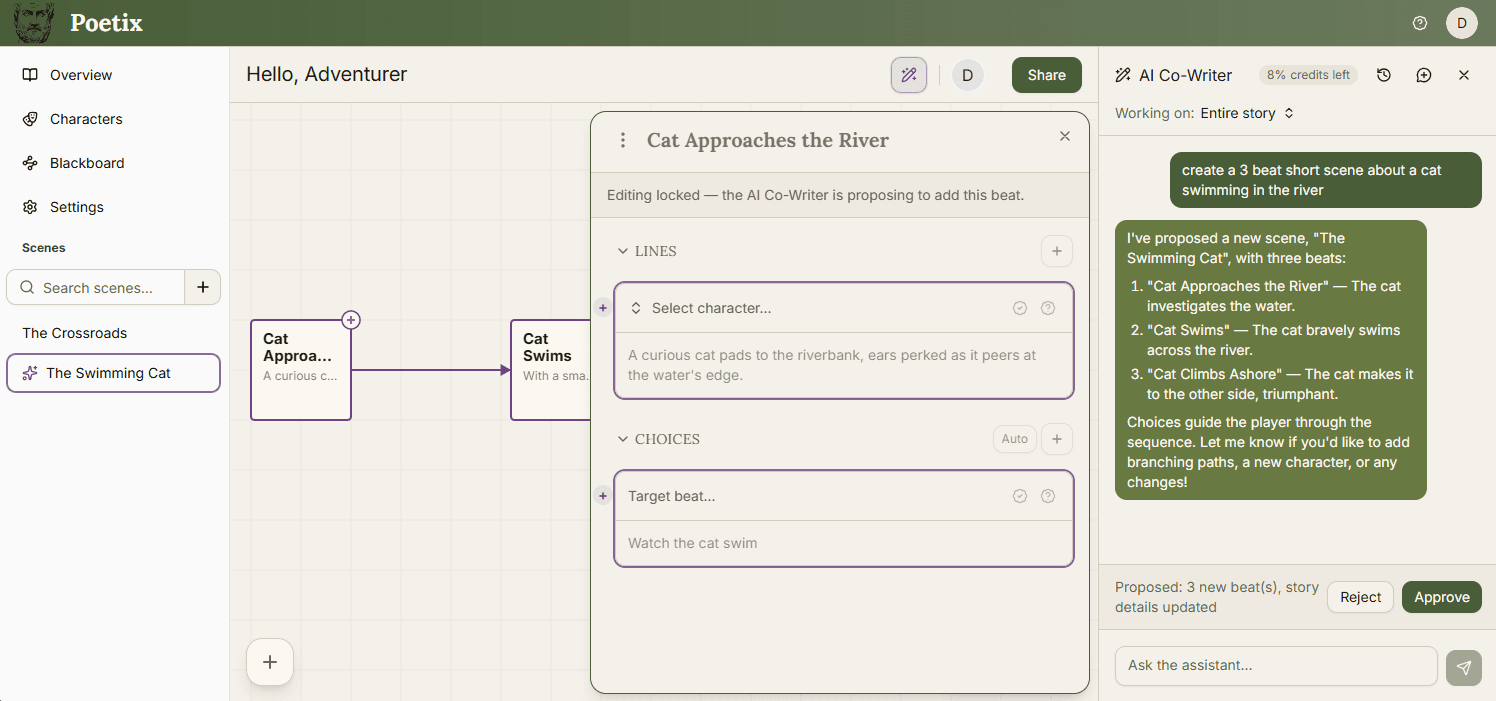
The assistant can read across your story and propose edits - new beats, rewritten lines, choices, characters, blackboard variables - but it never writes them directly. A pending proposal shows a summary (for example - Proposed: 2 new beats, 1 changed) with Approve and Reject buttons. Approve to apply the changes, reject to discard them.
While a proposal is pending, changed beats, lines and choices are marked and you can see the exact before-and-after wording before you decide.
Chat history#
Each story keeps a separate conversation history per user, so your chats stay private to you even on a shared story. Use the history icon in the panel header to browse past conversations and reopen one, or start a New chat without losing the others. Deleting a conversation also discards any pending proposal in it, so double-check before confirming.
Credits, plans, and your own key#
Every message costs AI credits. The free plan includes 100 credits a month; Pro and Studio include 2,000. Your remaining balance shows in the panel header, and again on your profile page.
Pro and Studio plans can also bring their own OpenAI key instead of using Poetix's. Turn it on from Profile → AI Usage; once it's set, the AI co-writer stops drawing from your Poetix credits and will use your own key.