Playtesting with the Simulator
Play through your branches before you publish.
As you write your story, play through it the way a reader would - with everything behind the scenes visible for testing purposes.
Starting a test#
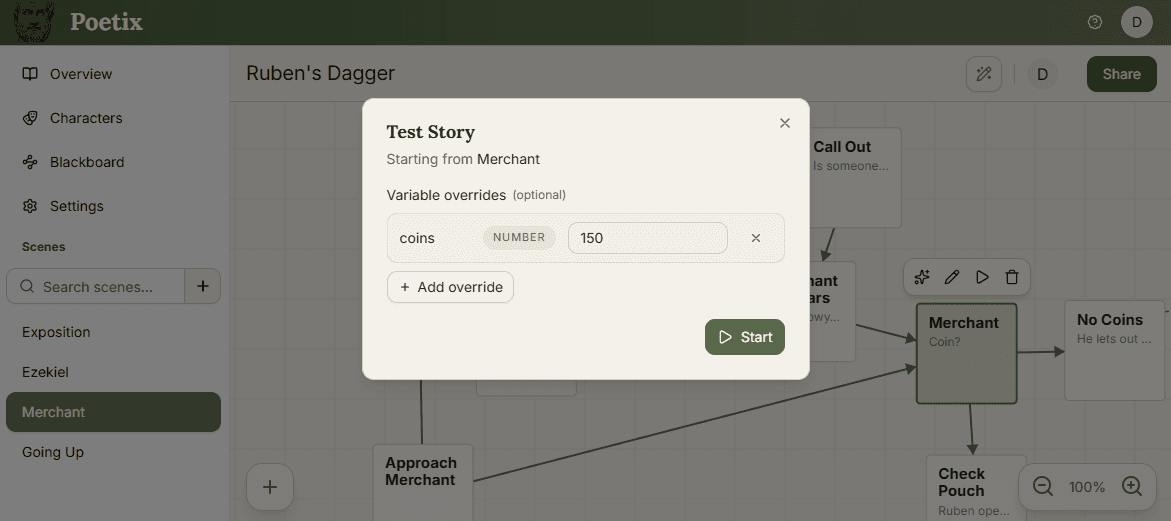
Select a beat on the canvas and choose Test. The run always starts from that selected beat.
If your story has blackboard variables, the launch dialog has an optional Variable overrides section - Add override lets you set a variable to a specific value for just this run, useful for jumping straight to a state you'd otherwise have to play through to reach. For example - testing a conversation with a merchant with 0, 100, or 1000 gold coins.
Playing through#
Lines appear as chat bubbles with the speaking character's image and name. Click in the conversation area to advance to the next line. When choices are reached, each option appears as a button. Beats with no lines that are set to auto-advance skip straight through without waiting for you.
Reading the debug info#
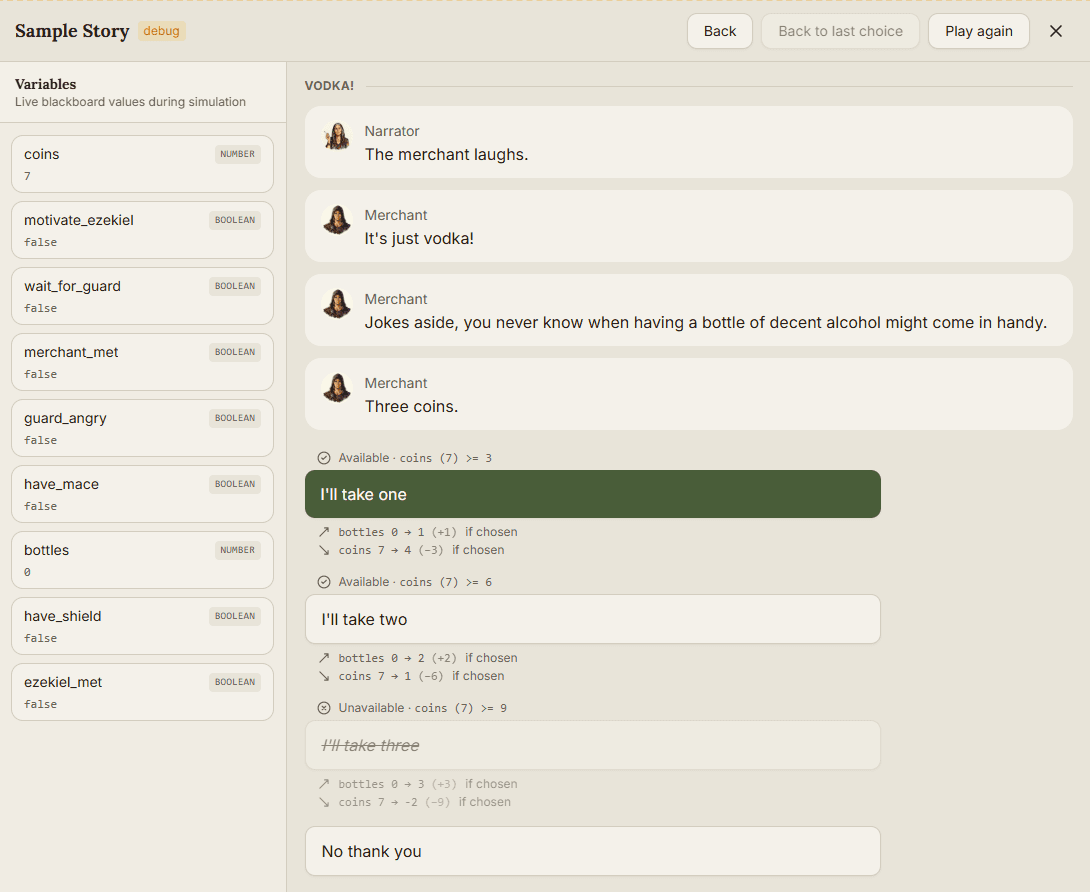
Conditions appear above the text, with a check or cross and a clear outcome: Played or Skipped for lines, and Available or Unavailable for choices. For example, Available · coins (7) >= 3 means the player has 7 coins and needs at least 3 to take that choice.
When there are multiple conditions, needs all of means AND and needs any of means OR. Each condition gets its own check or cross, so you can see which checks passed. Skipped lines and unavailable choices stay visible with dimmed, crossed-out text. Their results are dimmed too and don't apply; the condition explanation stays readable.
Results appear below the text with an icon for increasing, decreasing, or setting a value. Applied results show the before and after values, such as coins 7 → 4 (−3). Before you pick a choice, its predicted results include if chosen: buying one bottle previews bottles 0 → 1 (+1) and coins 7 → 4 (−3). These previews don't change the Blackboard until you select the choice.
After selection, the choice appears in the conversation with its actual results. Variable changes from automatic transitions appear beneath the destination beat's heading.
Problems appear in separate callouts near the affected text. Red errors flag issues such as an empty line or a choice with a missing target beat. Amber warnings flag a {{variableName}} reference whose name is missing from the Blackboard or matches multiple variables. The header shows error and warning counts for the current transcript and choices. A failed condition is a normal story outcome, so it doesn't count as an error or warning.
The live blackboard#
A Variables panel alongside the player shows every blackboard variable and its current value, updating after every line and choice - so you can watch state change in real time.
Restarting and ending#
Play again restarts from the same beat with the same overrides, clearing everything you've seen so far. A run ends automatically when you reach a beat with no outgoing choices, or if every choice at a decision point turns out to be disabled.
Test is for you: it shows conditions, results, and errors that a reader never sees. Once a story is live, players get the plain version - choices and lines that fail their conditions are simply left out, with none of this debug detail.